
Advertisement
Monitor your child's screen time usage
Set time limits and schedules for device usage
Block inappropriate content and apps
Screen Time is a powerful parental control app that allows parents to manage and monitor their children's screen time usage on various devices. With features such as app blocking, screen time scheduling, and website filtering, parents can ensure a healthy balance of technology use for their kids.
Advertisement
All link sources on this site are jumped to App Store, Google Play and other official platforms. No virus, no malware.
Select a versionScreen Time - Parental Control is a powerful and comprehensive app designed to help parents manage and monitor their children's screen time and online activities. With the increasing prevalence of digital devices and online platforms, it has become more important than ever for parents to ensure that their children are using technology in a safe and healthy manner.
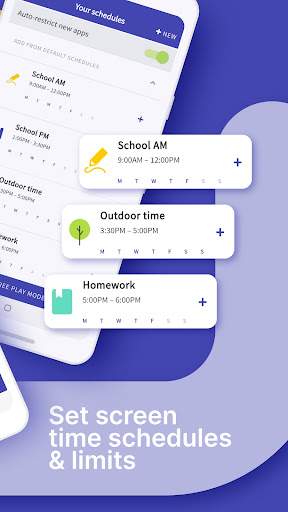
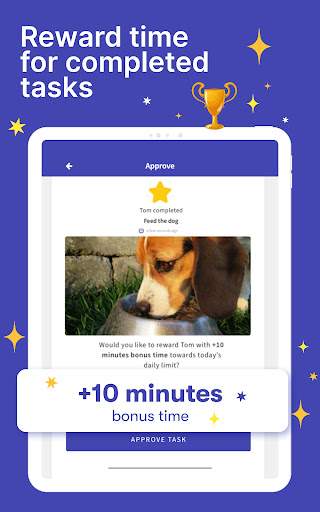
One of the key features of Screen Time is its ability to set limits on how much time children can spend on their devices each day. Parents can establish specific schedules and time limits for different apps or categories of apps, helping to promote a balanced approach to screen time usage. By setting boundaries, parents can encourage their children to engage in other activities, such as outdoor play, reading, or spending time with family and friends.
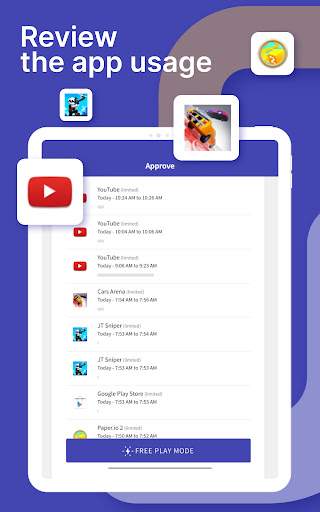
In addition to time limits, Screen Time offers a range of monitoring and tracking tools to provide parents with insights into their children's online behavior. Parents can view detailed reports on which apps their children are using, how much time they are spending on each app, and even the websites they are visiting. This information can help parents identify any potential issues or concerns, such as excessive social media use or exposure to inappropriate content.
Screen Time also includes a variety of blocking and restriction features to help parents protect their children from online risks. Parents can block specific apps, websites, or categories of content, ensuring that their children are not exposed to harmful or age-inappropriate material. The app also allows parents to set up filters for web browsing and to restrict access to certain features, such as in-app purchases or location services.
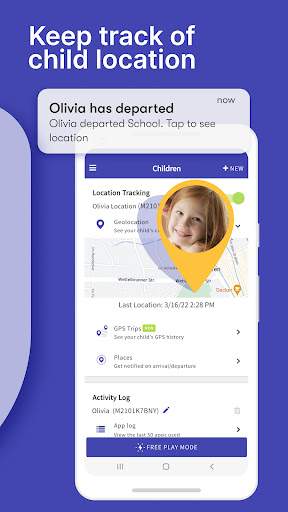
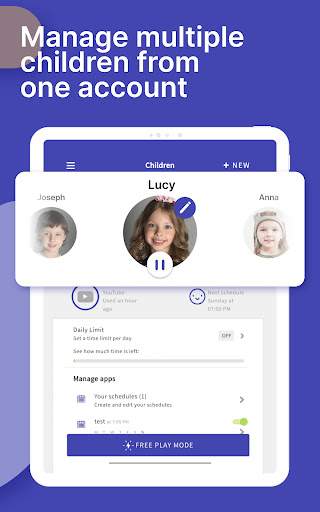
Furthermore, Screen Time provides parents with the ability to remotely manage and control their children's devices from anywhere. Through a user-friendly dashboard, parents can adjust settings, view reports, and enforce restrictions on their children's devices, all from the convenience of their own smartphone or tablet. This level of control and oversight empowers parents to ensure that their children are using technology responsibly and safely.
Overall, Screen Time - Parental Control is a valuable tool for parents who want to take an active role in managing their children's screen time and online activities. By offering a range of features for setting limits, monitoring usage, and enforcing restrictions, this app provides parents with the resources they need to promote healthy digital habits and protect their children in today's digital age.
Make sure your device is compatible with Screen Time - Parental Control.
Available on iOS and Android.
May not support older devices or specific versions of operating systems.
Performance may vary depending on device specifications.
Screen Time - Parental Control requires certain permissions to function properly and provide the best user experience.
Access to device usage data
Permission to block or limit certain apps or websites
Location tracking for geofencing features
These permissions are necessary to monitor and regulate screen time usage for children and ensure their safety online.
v2.0
["Enhanced parental controls","Improved user interface","Bug fixes and performance enhancements"]
A: You can set daily screen time limits and schedule screen-free times for your child using the Screen Time - Parental Control app.
A: Yes, you can track which apps your child is using and for how long with the Screen Time - Parental Control app.
A: Yes, you can block specific apps and websites on your child's device using the Screen Time - Parental Control app.
A: Yes, you can view detailed reports and insights on your child's screen time habits with the Screen Time - Parental Control app.
A: Yes, you can remotely adjust and manage your child's screen time settings from your own device using the Screen Time - Parental Control app.