Advertisement
Stay informed about the weather
Always be on time with a stylish clock widget
Check the forecast at a glance.
Stay updated with the latest weather conditions and keep track of time with the Weather & Clock Widget app. Get accurate forecasts and customize your widgets to suit your style and needs.
Advertisement
All link sources on this site are jumped to App Store, Google Play and other official platforms. No virus, no malware.
Select a versionWeather & Clock Widget is a versatile and feature-rich application that provides users with accurate weather forecasts and stylish clock widgets for their Android devices. This all-in-one app serves as a convenient tool for users to stay informed about the weather conditions and keep track of time in a visually appealing way.
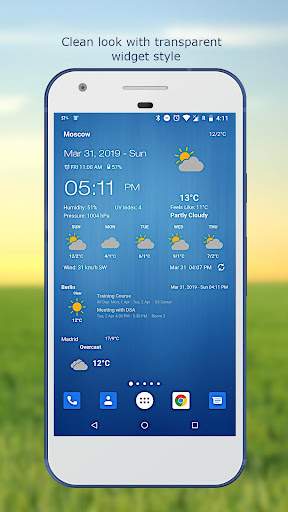
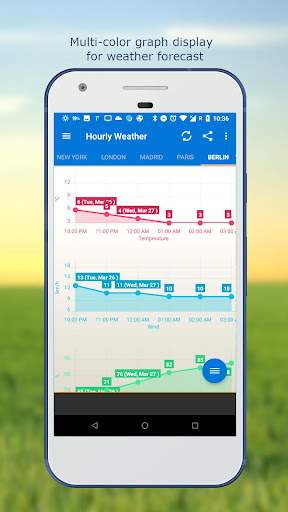
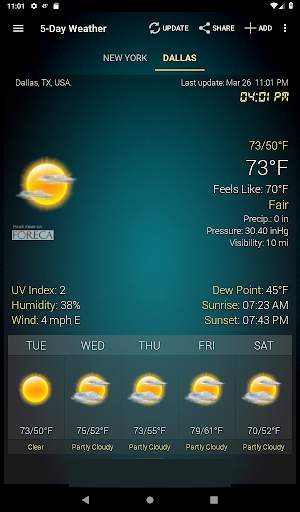
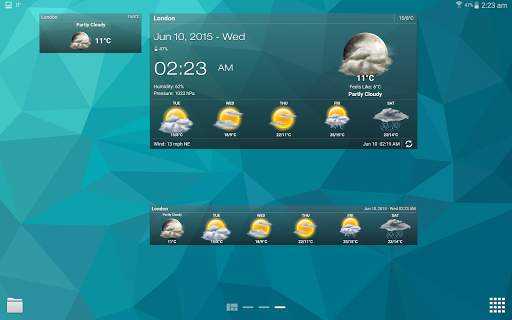
One of the key features of Weather & Clock Widget is its reliable weather forecast function. Users can easily access detailed weather information for their current location or any other location worldwide. The app offers real-time updates on temperature, humidity, wind speed, and atmospheric pressure, allowing users to plan their activities accordingly. With customizable units and settings, users can personalize their weather experience to suit their preferences.
In addition to its weather forecast capabilities, Weather & Clock Widget also offers a variety of clock widgets that can be customized to match the user's style and preferences. These widgets come in different designs, sizes, and themes, allowing users to choose the one that best fits their home screen. Users can also customize the clock widgets with options to display digital or analog clocks, as well as additional information such as battery status and upcoming calendar events.
The app's user-friendly interface makes it easy for users to navigate and access all the features effortlessly. The intuitive design ensures that users can quickly check the weather forecast or view the clock widget without any hassle. With a simple tap or swipe, users can switch between different locations, view hourly or daily forecasts, and adjust the settings of the clock widgets.
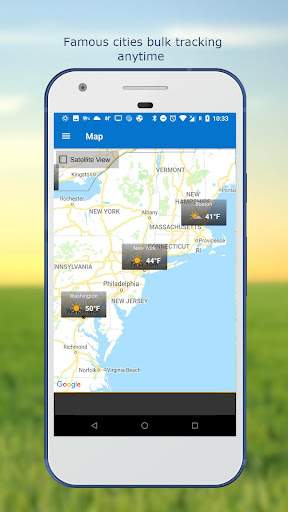
Weather & Clock Widget also offers additional features such as weather alerts, weather radar, and moon phases, providing users with comprehensive information to help them plan their day effectively. Users can set up notifications for severe weather alerts or track the movement of storms with the interactive weather radar feature. The moon phases feature allows users to stay connected with lunar cycles and plan their outdoor activities accordingly.
Overall, Weather & Clock Widget is a must-have app for users who want to stay informed about the weather conditions and display a stylish clock widget on their Android devices. With its accurate weather forecasts, customizable clock widgets, and additional features, this app offers a complete solution for users to stay updated and organized. Download Weather & Clock Widget today to enhance your Android device with a blend of functionality and style.
Make sure your device is compatible with the Weather & Clock Widget app.
Compatible with iOS and Android platforms.
May not work with older devices or specific versions of operating systems.
Performance may vary depending on device specifications and network connectivity.
Understand why the app requires certain permissions.
Location access for accurate weather data
Storage access for saving widget configurations
Location access is necessary for accurate weather updates based on your current location. Storage access is required to save your widget settings for a personalized experience.
Improved weather data accuracy
Enhanced widget customization options
Recent updates have focused on improving the accuracy of weather data and providing more customization options for the widget.
A: You can customize the weather and clock widgets by selecting different themes, layouts, and data preferences within the 'Weather & Clock Widget' app.
A: Yes, the weather information displayed in the 'Weather & Clock Widget' app is sourced from reliable weather data providers for accuracy.
A: Yes, you can add multiple locations for weather updates in the 'Weather & Clock Widget' app, allowing you to stay informed about various places.
A: Yes, the 'Weather & Clock Widget' app can send notifications for severe weather alerts based on your selected locations.
A: Yes, the 'Weather & Clock Widget' app allows you to set alarms and timers in addition to providing weather updates and clock widgets.