

Advertisement
Create stunning digital artwork easily
Refine your illustrations with powerful tools
Bring your imagination to life on the screen
Clip Studio Paint is a powerful digital painting and illustration software that is favored by artists for its extensive features and customizable brushes. Whether you're a beginner or a professional, Clip Studio Paint provides the tools you need to bring your creative vision to life.
Advertisement
All link sources on this site are jumped to App Store, Google Play and other official platforms. No virus, no malware.
Select a versionClip Studio Paint is a versatile and powerful software that caters to the needs of digital artists, illustrators, and animators. Originally developed in Japan as "Manga Studio," it has evolved into a comprehensive tool for creating various forms of art and design. Whether you are a beginner or a professional artist, Clip Studio Paint offers a wide range of features and tools to enhance your creative process.
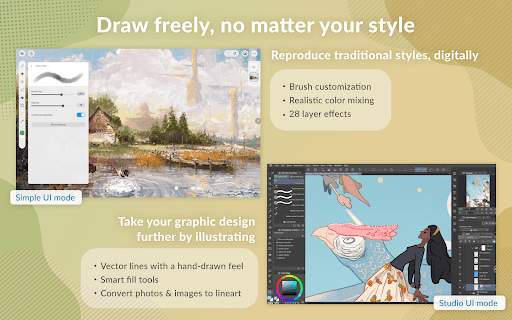
One of the standout features of Clip Studio Paint is its extensive brush library, which includes a variety of customizable brushes that mimic traditional media such as pencils, pens, watercolors, and oils. Artists can also create their own brushes, giving them the flexibility to achieve their desired artistic effects. The software's brush engine is highly advanced, allowing for precise control over stroke dynamics, making it ideal for detailed and intricate artwork.
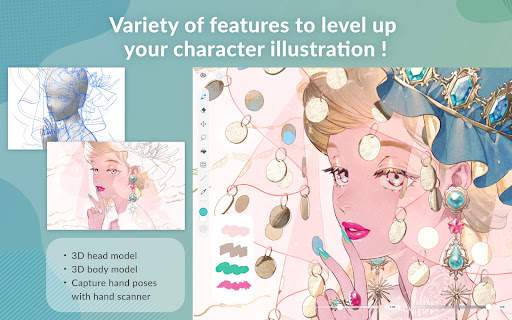
In addition to its impressive brush engine, Clip Studio Paint offers a wide array of tools for creating and editing artwork. From rulers and symmetry tools to perspective guides and 3D models, the software provides artists with everything they need to bring their ideas to life. Its vector tools are particularly useful for creating clean and scalable line art, making it a popular choice among comic artists and illustrators.
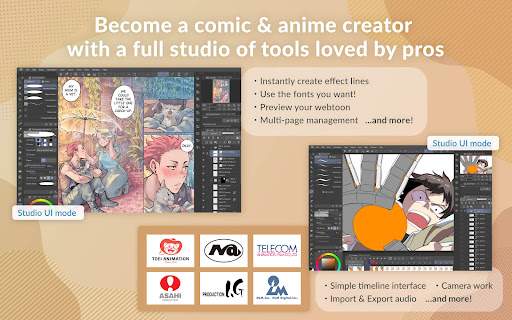
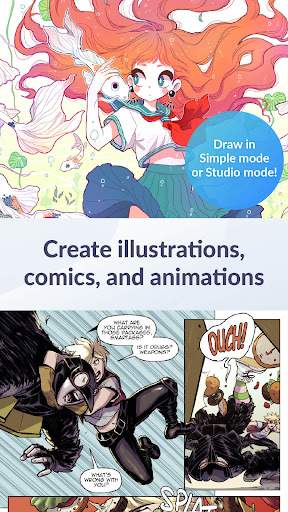
Clip Studio Paint also excels in the realm of comic creation, with features tailored specifically for comic and manga artists. The software includes specialized tools for creating panel layouts, speech bubbles, and text, streamlining the comic-making process. Artists can easily switch between drawing, inking, and coloring within the same program, eliminating the need to use multiple software applications.
For animators, Clip Studio Paint offers a robust set of features for creating 2D animations. The software supports traditional frame-by-frame animation as well as modern techniques such as timeline-based animation. Artists can easily import audio files, add camera movements, and create dynamic motion effects, making it a versatile tool for creating animated shorts, gifs, and more.
Furthermore, Clip Studio Paint provides a seamless workflow for artists working on both desktop and mobile devices. The software offers versions for Windows, macOS, iPad, and iPhone, allowing artists to work on their projects anytime, anywhere. Files can be easily synced across devices using cloud storage, ensuring that artists can pick up where they left off without missing a beat.
Overall, Clip Studio Paint is a comprehensive and user-friendly software that caters to the diverse needs of digital artists. Whether you are creating illustrations, comics, animations, or concept art, Clip Studio Paint provides the tools and features to bring your artistic vision to life. Its robust capabilities, combined with its affordable pricing, make it a top choice for artists looking to elevate their digital art practice.
Clip Studio Paint is compatible with both Windows and MacOS operating systems. For Windows, we recommend using Windows 7 or later. For MacOS, we recommend using MacOS 10.13 or later. Please note that older versions of the app may not be fully compatible with newer devices or operating systems, and performance may vary depending on the device and system specifications.
Clip Studio Paint requires access to your device's storage to save and access your artwork. It also requires access to your camera and microphone for features such as taking photos or recording audio. Rest assured that we only access these permissions for the necessary functions of the app, and we do not use or share your personal data.
The latest update for Clip Studio Paint includes new drawing tools, improved brushes, and enhanced stability and performance. We have also addressed any reported bugs and issues to ensure a smoother user experience. Make sure to update to the latest version to take advantage of these improvements.
A: Clip Studio Paint is a versatile digital painting program that is popular among artists and animators.
A: Yes, Clip Studio Paint is available for both Windows and Mac operating systems.
A: Yes, Clip Studio Paint is also available for use on iPad and Android tablets.
A: Yes, Clip Studio Paint offers a free trial for users to test out the software before purchasing.
A: Clip Studio Paint can be purchased either as a one-time payment or through a monthly subscription.





