

Advertisement
Engage in online learning anytime
anywhere
Collaborate with classmates and instructors effortlessly
Stay organized with customizable schedules and notifications
Moodle is a popular online learning platform that allows educators to create virtual classrooms and deliver engaging courses to students. It offers a wide range of tools for communication, collaboration, and assessment to enhance the learning experience.
Advertisement


All link sources on this site are jumped to App Store, Google Play and other official platforms. No virus, no malware.
Select a versionMoodle is a powerful open-source learning platform that offers a wide range of tools and features to create and manage online courses. Originally developed by Martin Dougiamas in 2002, Moodle stands for "Modular Object-Oriented Dynamic Learning Environment." It has since become one of the most popular learning management systems (LMS) used by educators, businesses, and organizations worldwide.
With Moodle, users can create engaging and interactive online courses that incorporate multimedia content, quizzes, assignments, forums, and more. The platform is highly customizable, allowing instructors to tailor the learning experience to meet the specific needs of their students. Whether you are teaching a traditional classroom course, offering corporate training, or running a massive open online course (MOOC), Moodle provides the tools you need to deliver effective and engaging online learning experiences.
One of the key features of Moodle is its modular design, which allows for easy integration of additional plugins and extensions to enhance functionality. This flexibility enables users to add new features and customize the platform to suit their individual requirements. Moodle also supports a wide range of languages, making it accessible to users from diverse linguistic backgrounds.
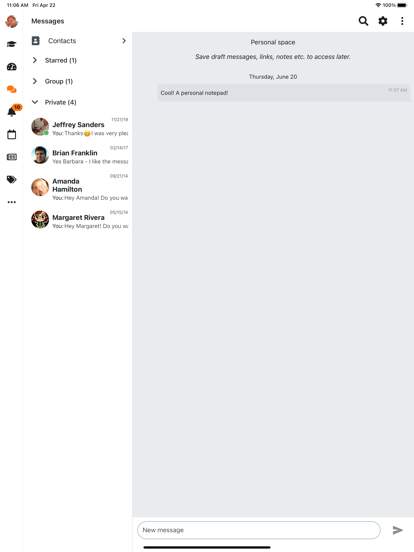
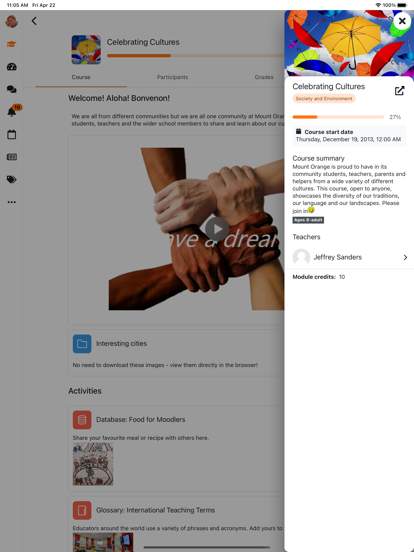
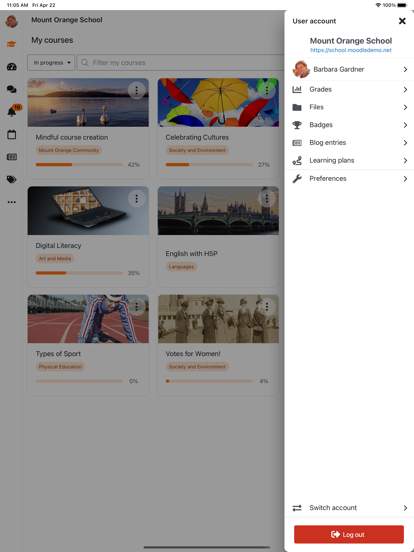
Moodle is designed to be user-friendly for both instructors and students. Educators can easily create and organize course content, track student progress, and communicate with learners through built-in messaging and collaboration tools. Students, on the other hand, have access to a personalized dashboard where they can view upcoming assignments, participate in discussions, and access resources shared by their instructors.
In addition to its core features, Moodle offers robust security measures to protect user data and ensure a safe online learning environment. The platform is regularly updated to address potential vulnerabilities and maintain compliance with data protection regulations.
Moodle is not only used in educational settings but also in corporate training and professional development programs. Businesses and organizations can leverage Moodle to deliver online training courses, onboard new employees, and track employee progress and performance.
Overall, Moodle is a versatile and reliable platform that empowers educators and organizations to create engaging online learning experiences. Whether you are a teacher looking to supplement your classroom instruction with online resources or a company seeking to enhance employee skills and knowledge, Moodle provides the tools and features you need to succeed in the digital learning landscape.
Ensure smooth functionality by checking system compatibility.
Compatible with both iOS and Android platforms.
May experience minor issues on older devices or newer versions of operating systems.
Performance may fluctuate based on device specifications and network connectivity.
Understand the permissions required by Moodle.
Moodle requires access to camera and microphone for video conferencing, storage for saving files, and internet connection for syncing data.
These permissions are essential for providing features like online classes, submitting assignments, and accessing course materials.
Stay up-to-date with the latest improvements in Moodle.
Recent updates include bug fixes, enhanced security measures, improved user interface, and new features such as offline mode and interactive quizzes.
These updates aim to provide a better user experience and ensure seamless learning and collaboration on the platform.
A: You can access Moodle by visiting the website or downloading the mobile app.
A: Yes, you can submit assignments through Moodle's online platform.
A: Yes, Moodle is a free and open-source learning management system.
A: Yes, you can communicate with your classmates and instructors through Moodle's messaging system.
A: Yes, Moodle can integrate with other learning tools and software to enhance the online learning experience.





