Advertisement
Effortlessly digitize documents on the go
Create high-quality PDFs with ease
Instantly organize and store important papers
Mobile Scanner App - Scan PDF is a convenient tool for scanning documents and converting them into PDF files directly on your mobile device. Easily digitize your paperwork for quick and efficient storage and sharing.
Advertisement
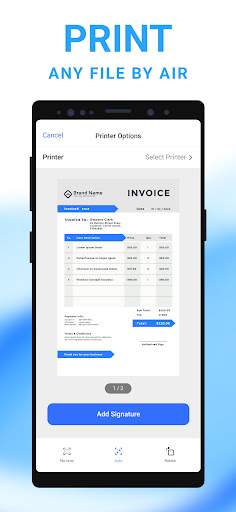
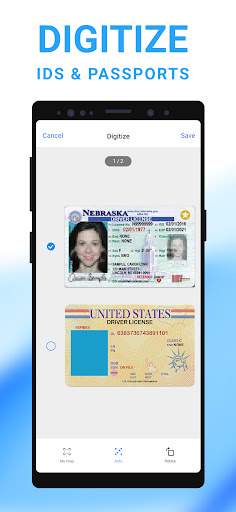
All link sources on this site are jumped to App Store, Google Play and other official platforms. No virus, no malware.
Select a versionThe Mobile Scanner App - Scan PDF is a powerful and convenient tool that allows users to easily scan documents, images, and other physical files using their mobile devices. With this app, users can quickly digitize paper documents and save them as PDF files for easy storage, sharing, and organization.
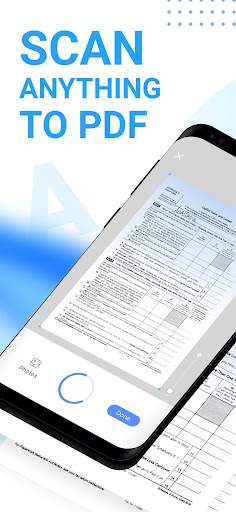
One of the key features of the Mobile Scanner App is its ability to accurately capture high-quality scans of documents. Users can simply point their device's camera at the document they want to scan, and the app will automatically detect the edges of the document, adjust the lighting and focus, and capture a clear and crisp image. This ensures that users get professional-looking scans every time, without the need for bulky and expensive scanning equipment.
In addition to scanning documents, the app also allows users to enhance and edit their scans. Users can adjust the brightness, contrast, and color settings of their scans to improve legibility and clarity. They can also crop, rotate, and resize their scans to remove any unwanted borders or background noise. This flexibility makes it easy for users to create polished and professional-looking PDF files from their scanned documents.
Another standout feature of the Mobile Scanner App is its OCR (Optical Character Recognition) technology. This feature allows users to convert scanned images into editable and searchable text documents. Users can simply scan a document, run the OCR function, and the app will extract the text from the image, allowing users to edit, copy, and search the text within the PDF file. This is particularly useful for digitizing printed documents, such as receipts, business cards, and notes.
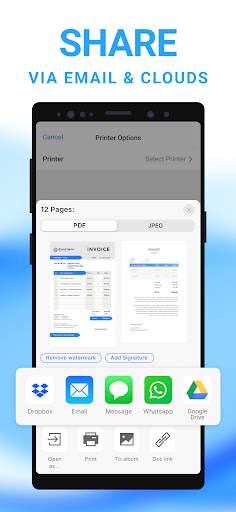
The app also offers a range of convenient sharing options. Users can easily share their scanned PDF files via email, messaging apps, cloud storage services, and social media platforms. This makes it simple to quickly send important documents to colleagues, clients, or friends, without the need for printing or faxing.
Overall, the Mobile Scanner App - Scan PDF is a versatile and user-friendly tool that makes it easy to digitize and manage documents on the go. Whether you need to scan receipts, contracts, business cards, or handwritten notes, this app has you covered. With its powerful scanning capabilities, editing tools, OCR technology, and seamless sharing options, the Mobile Scanner App is a must-have for anyone looking to streamline their document management workflow.
Mobile Scanner App - Scan PDF is compatible with most iOS and Android devices. For iOS, the app requires iOS 10.0 or later and is compatible with iPhone, iPad, and iPod touch. For Android, the app works on devices running Android 4.4 and up. Please note that performance may vary depending on device specifications and software version.
Mobile Scanner App - Scan PDF requires access to your camera and storage to scan documents and save PDF files. These permissions are necessary for the app to function properly and provide you with the best scanning experience. Rest assured that we do not collect or share any of your personal information.
We are constantly working on improving Mobile Scanner App - Scan PDF to provide you with the best scanning experience. Our recent updates include bug fixes, performance enhancements, and new features such as batch scanning and OCR (Optical Character Recognition) capabilities. Be sure to update the app regularly to benefit from these improvements.
A: Yes, the Mobile Scanner App allows you to scan documents and save them as PDF files.
A: Yes, the Mobile Scanner App can convert scanned documents into PDF format.
A: Yes, the Mobile Scanner App has features to enhance the quality of scanned documents.
A: Yes, you can easily share scanned PDFs directly from the Mobile Scanner App.
A: Yes, the Mobile Scanner App is compatible with most mobile devices and operating systems.