
Advertisement
Keep your child safe online
Monitor screen time and app usage
Set healthy boundaries for device usage
MMGuardian Parental Control is a comprehensive app designed to help parents manage and monitor their children's device usage, ensuring a safe and healthy online experience. With features such as app blocking, screen time management, and web filtering, parents can have peace of mind knowing that their children are protected.
Advertisement
All link sources on this site are jumped to App Store, Google Play and other official platforms. No virus, no malware.
Select a versionMMGuardian Parental Control is a comprehensive and user-friendly app designed to help parents monitor and manage their children's digital activities on smartphones and tablets. With a wide range of features and customization options, MMGuardian offers peace of mind to parents by allowing them to protect their children from potential online dangers and manage their screen time effectively.
One of the key features of MMGuardian is its ability to filter and block inappropriate content on the internet. Parents can set up custom web filters to block access to websites that contain adult content, violence, or other harmful material. This helps to create a safe online environment for children and protects them from exposure to inappropriate content.
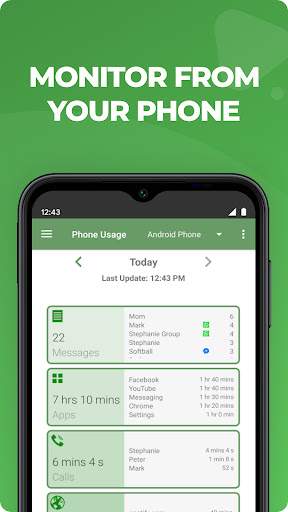
In addition to web filtering, MMGuardian also offers app management tools that allow parents to control which apps their children can use and for how long. Parents can set time limits for specific apps, block access to certain apps altogether, and view reports on app usage to better understand their children's digital habits.
Another important feature of MMGuardian is its location tracking functionality, which enables parents to keep track of their children's whereabouts in real-time. By using GPS technology, parents can see the location of their children on a map and set up geofencing alerts to receive notifications when their children enter or leave a designated area.
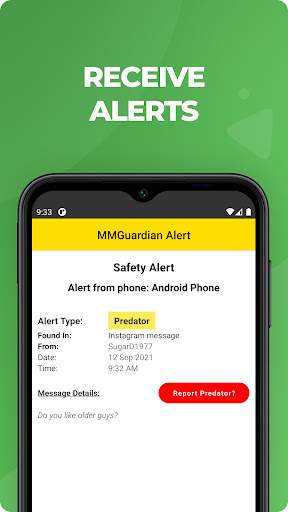
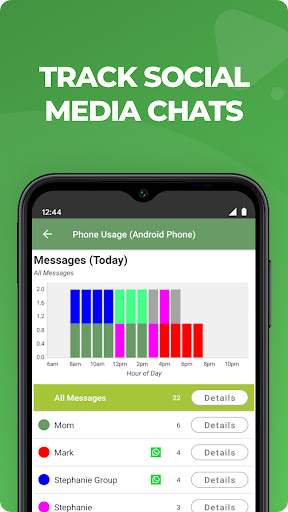
Furthermore, MMGuardian includes a text and call monitoring feature that allows parents to view their children's text messages and call logs. This feature helps parents stay informed about who their children are communicating with and ensures that they are not engaging in any inappropriate or unsafe conversations.
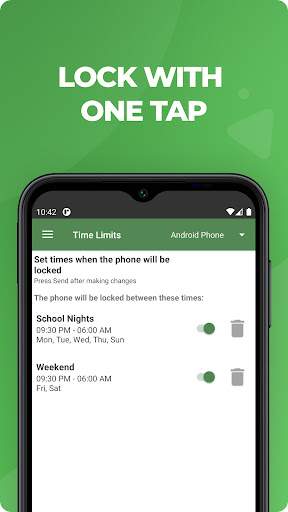
With MMGuardian, parents can also set up schedules for screen time, bedtime, and homework time to help their children develop healthy digital habits and maintain a balanced lifestyle. By setting up time limits and restrictions, parents can encourage their children to spend more time on productive activities and less time on screens.
Overall, MMGuardian Parental Control is a powerful tool that empowers parents to protect their children in the digital age. With its wide range of features, customizable settings, and easy-to-use interface, MMGuardian provides parents with the tools they need to monitor, manage, and safeguard their children's online activities. Whether it's filtering web content, managing apps, tracking locations, or monitoring communication, MMGuardian offers comprehensive parental control solutions to help parents navigate the challenges of raising children in a digital world.
MMGuardian Parental Control is compatible with both Android and iOS platforms. For Android devices, the app requires a minimum version of 4.4. For iOS devices, the app requires a minimum version of iOS 10. Device compatibility may vary depending on the manufacturer and model. Performance may fluctuate based on factors such as network connectivity and device specifications.
MMGuardian Parental Control requires permissions to access the device's location, contacts, messages, and call logs. These permissions are necessary for the app to effectively monitor and restrict the child's activities. Rest assured that the app only accesses this information for parental control purposes and does not store or share it with third parties.
Recent updates to MMGuardian Parental Control include improved user interface for easier navigation, enhanced monitoring capabilities, and bug fixes for better performance. We are constantly working on adding new features and enhancements to provide a seamless parental control experience for our users.
A: MMGuardian Parental Control is an app designed to help parents monitor and manage their child's device usage.
A: MMGuardian Parental Control provides features such as app blocking, call blocking, text monitoring, and location tracking to help parents ensure their child's safety online.
A: Yes, MMGuardian Parental Control offers a user-friendly interface that makes it easy for parents to set up and customize controls for their child's device.
A: Yes, MMGuardian Parental Control includes a GPS tracking feature that allows parents to monitor their child's real-time location.
A: Yes, MMGuardian Parental Control allows parents to monitor and control multiple devices from a single account.