

Advertisement
Create stunning photo collages effortlessly
Share your memories with friends and family
Unleash your creativity with endless customization options.
Yoshion is a versatile pic collage maker app that allows users to effortlessly create stunning photo collages. With a wide range of layouts and editing tools, users can showcase their creativity and design unique collages with ease.
Advertisement

All link sources on this site are jumped to App Store, Google Play and other official platforms. No virus, no malware.
Select a versionYoshion - Pic Collage Maker is a versatile and user-friendly mobile application designed to help users create stunning photo collages effortlessly. Whether you are a professional graphic designer or a casual user looking to spice up your social media posts, Yoshion offers a wide range of features to meet your collage-making needs.
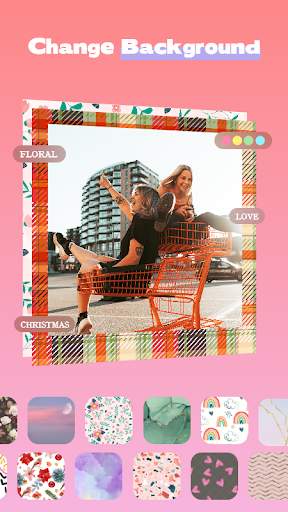
With Yoshion, you can easily combine multiple photos into a single, visually striking collage. The app provides a variety of layout options, including grids, freestyle, and templates, allowing you to customize your collage to suit your preferences. You can also adjust the spacing between photos, add borders, and choose from a diverse selection of backgrounds to enhance the overall look of your collage.
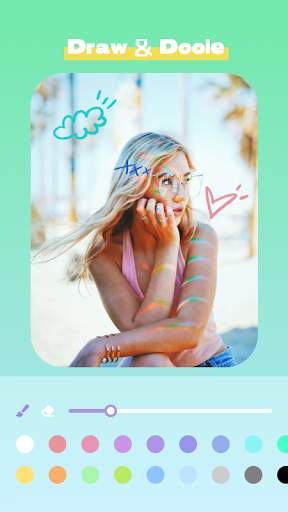
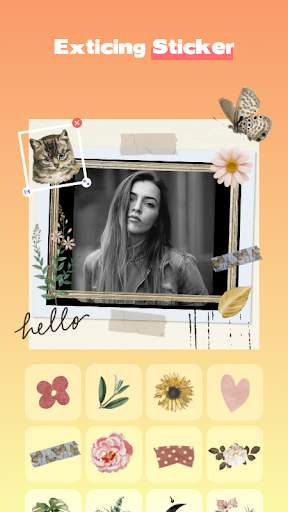
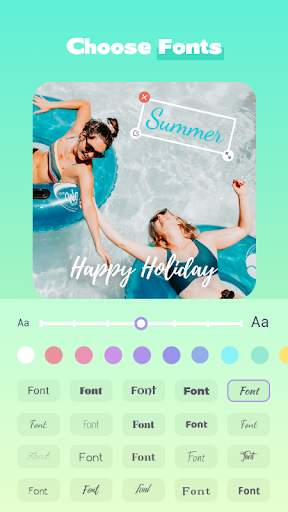
One of the standout features of Yoshion is its extensive collection of stickers, text designs, and filters. These creative elements can be added to your collages to add a personal touch and make them stand out. Whether you want to add playful emojis, elegant text overlays, or artistic filters, Yoshion offers a wide range of options to unleash your creativity.
In addition to its editing features, Yoshion also provides tools for enhancing the quality of your photos. You can adjust brightness, contrast, saturation, and other parameters to ensure that your collage looks polished and professional. The app also includes cropping and resizing tools, allowing you to fine-tune the composition of your collage.
Sharing your creations with friends and followers is easy with Yoshion. The app allows you to save your collages to your device, share them directly to social media platforms, or send them via messaging apps. Whether you want to showcase your travel adventures, celebrate special occasions, or simply express your creativity, Yoshion makes it simple to share your collages with the world.
Yoshion - Pic Collage Maker is designed to be intuitive and user-friendly, making it suitable for users of all skill levels. Whether you are a beginner looking to explore the world of collage-making or a seasoned pro seeking advanced editing features, Yoshion has something to offer. With its diverse range of options and creative tools, Yoshion empowers users to unleash their imagination and create captivating photo collages with ease. Download Yoshion today and start transforming your photos into stunning works of art!
Ensure Yoshion - Pic Collage Maker is compatible with your device.
Available on both iOS and Android platforms.
Please check compatibility with your specific device and operating system version.
Note that performance may vary depending on your device specifications.
Understand the permissions required by Yoshion - Pic Collage Maker.
Requires access to photos, camera, and storage to create collages and save them.
These permissions are necessary to allow the app to function properly and save your creations.
Stay up to date with the latest features in Yoshion - Pic Collage Maker.
Added new collage templates
Improved performance and stability
Fixed bugs reported by users
A: Simply download the app from the app store, open it, select your desired photos, and start creating beautiful collages.
A: Yes, you can choose from a variety of filters to enhance the look of your collages.
A: Yes, the app is free to download and use, with optional in-app purchases for additional features.
A: Yes, you can easily share your collages to social media platforms or save them to your device.
A: Yes, the app provides a variety of collage templates for you to choose from and customize.





